
Language, time format and time zone
Step 3 — Region & time controls how dates and times are written throughout the planner.
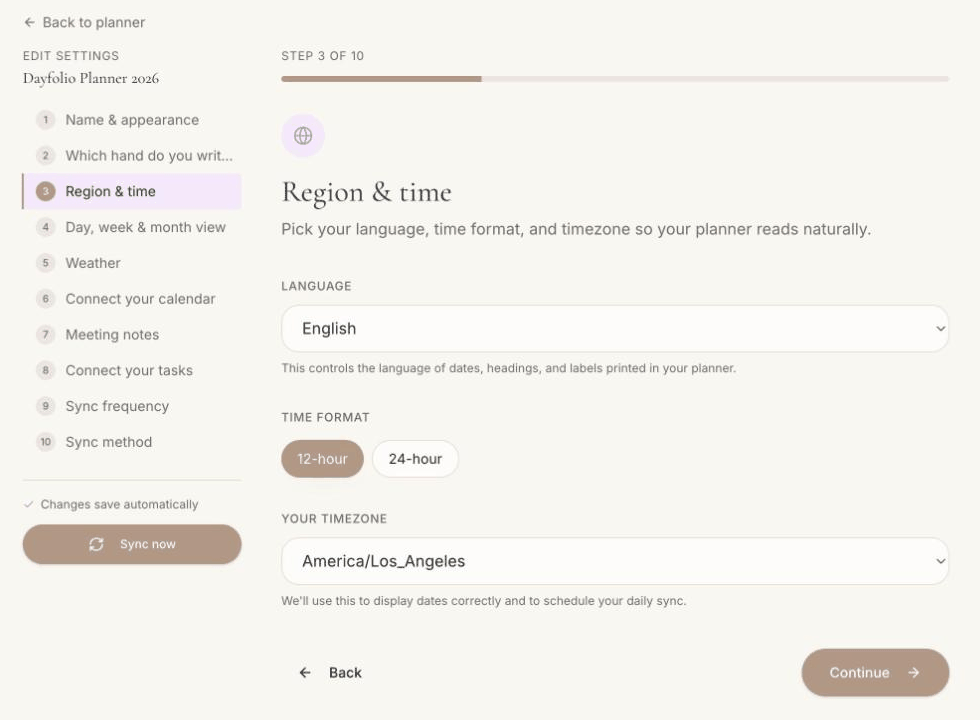
Language
Sets the language of everything Dayfolio prints: month and weekday names, section labels (Focus, Priorities, To Do List, Notes…), badges (TODAY, THIS WEEK…), the Meetings and Tasks indexes and the footer. Thirteen languages are available at the time of writing: Deutsch, English, Español, Français, Italiano, Nederlands, Norsk bokmål, Português (Brasil), Português (Portugal), Svenska, Ελληνικά, 日本語 and 简体中文. Your calendar events and task titles are of course shown exactly as you wrote them in their apps.
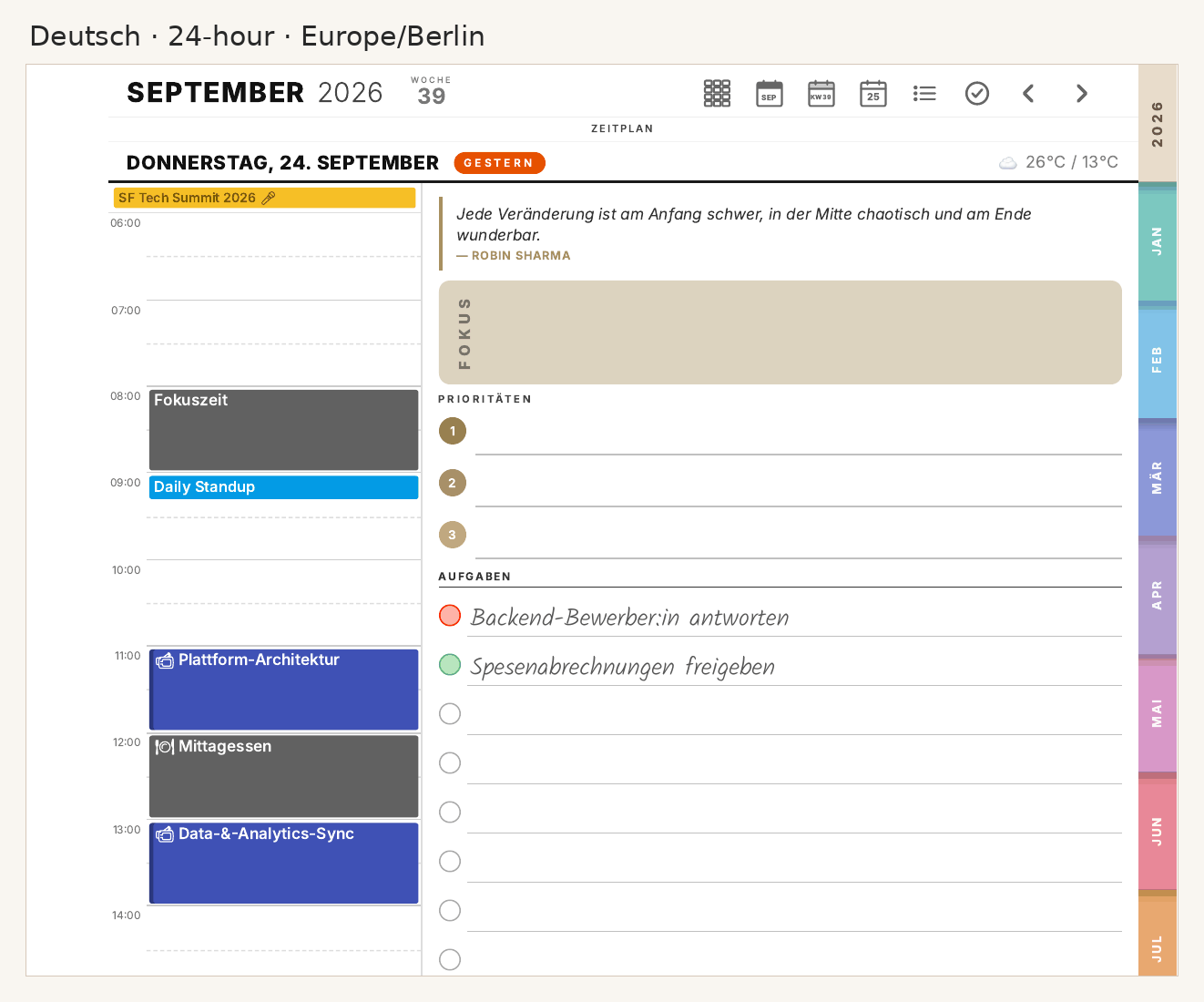
12-hour or 24-hour time
Applies to the hour labels of the Day and Week schedules, to event times ("9:30 AM – 10:30 AM" vs. "09:30 – 10:30") and to the times on Meeting Notes pages and in the indexes.
Time zone
Two things depend on it:
Events are placed at their local time in this time zone (a PDF can't adapt to the tablet's clock, so this is the one that counts).
The daily sync runs at the hour you set in Step 9, interpreted in this time zone. The planner page shows it explicitly, e.g. Daily · 05:00 (America/Los_Angeles).
Moving to another time zone for a while? Change it here and sync; events shift to the new local times on the next regeneration.
Changing it later
Edit settings → Step 3, then Sync now. The whole planner is regenerated with the new language or format; your handwriting stays in place. See Changing your planner settings after setup.