
Troubleshooting sign-in: no email, "No purchase found", expired link
The sign-in email never arrives
Check Spam, Junk, Promotions, Updates and Other folders.
Add hello@dayfolio.io to your contacts or safe senders and request the link again.
Make sure you typed the exact email you used at checkout — a different alias or a typo means no account is found.
Using a work or university address? Some organizations block external senders at the server level. In that case we can move your account to a personal email — see how to change the email on your account below.
"No purchase found for this email"
The address you entered doesn't match any Dayfolio account. Check your receipt for the address used at checkout and try again. If you're sure it's correct — or you accidentally created a second subscription with another email — write to hello@dayfolio.io and we'll sort it out.
"This link has expired" or "already used"
Magic links and codes expire shortly after they are sent and work only once.
Request a new link and open it right away.
If it's expired the moment you click it, a corporate email scanner has probably opened it first. Use the one-time code from the same email instead.
The page shows an error after clicking the link
If your browser auto-translates pages (Google Translate and similar), turn translation off for app.dayfolio.io and try again, or use the one-time code.
Try a private/incognito window, or another browser — extensions and strict privacy settings can interrupt the sign-in redirect.
The planner shows a name that isn't yours
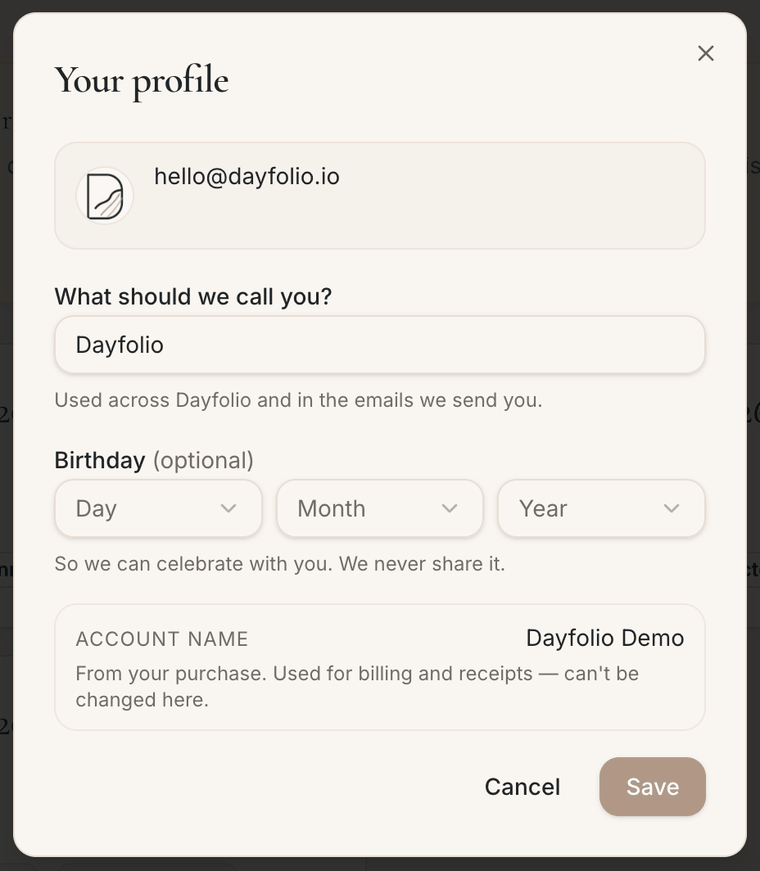
The name in your planner comes from the details entered at checkout — so if someone else completed the purchase (your employer, your partner or a family member), their name may show up instead of yours. You can change it at any time: click your profile photo in the top-right corner of the app, edit "What should we call you?", save, and run a sync. The name on the receipts stays as it was at checkout; only the planner and our emails use the new one.
Need to change the email on your account?
To make sure the request comes from you, email hello@dayfolio.io from the address you used at checkout and tell us the new address you'd like to use. We'll switch the account over and confirm once you can sign in with the new email. If you no longer have access to the original mailbox, write from the new address instead and include your order details (approximate purchase date and your receipt or order number) so we can verify it's you.