
Repair planner index
The symptoms
Tapping an event, a day number or a header icon opens the wrong page, or nothing.
Some pages look duplicated; a Day View appears twice, or where a Meeting Notes page should be.
A page seems hidden or missing; the Meetings Index buttons stop working.
All of them point to the same cause, and none of them means your notes are lost.
What's going on
The reMarkable keeps its own index of the pages of a PDF, separate from the file. When a document changes a lot between versions — many new Meeting Notes pages, calendar sources added or removed, settings changed several times in a row — that index can fall out of step with the file. The planner Dayfolio generated is correct; the tablet is reading it through a stale map. (Dayfolio keeps a set of reserved pages at the end of the planner precisely to make this rare — see Reached a blank "Reserved page"? Your planner is still there.)
The fix
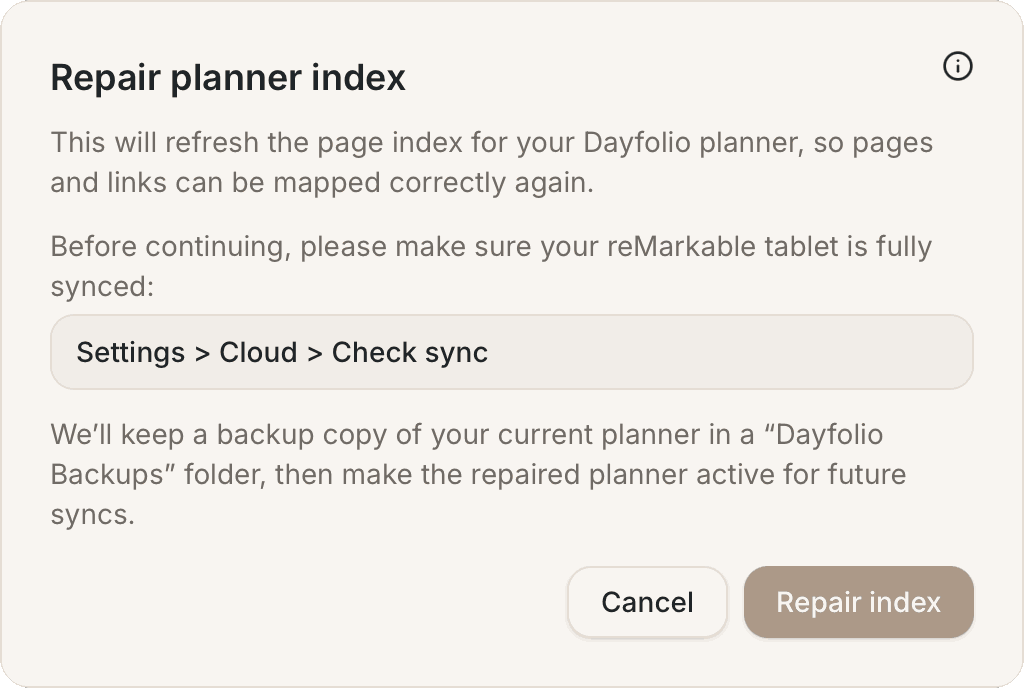
On the tablet, go to Settings → Cloud → Check sync and wait for the sync icon to finish, so that everything you wrote — including any note pages you added — is in the cloud.
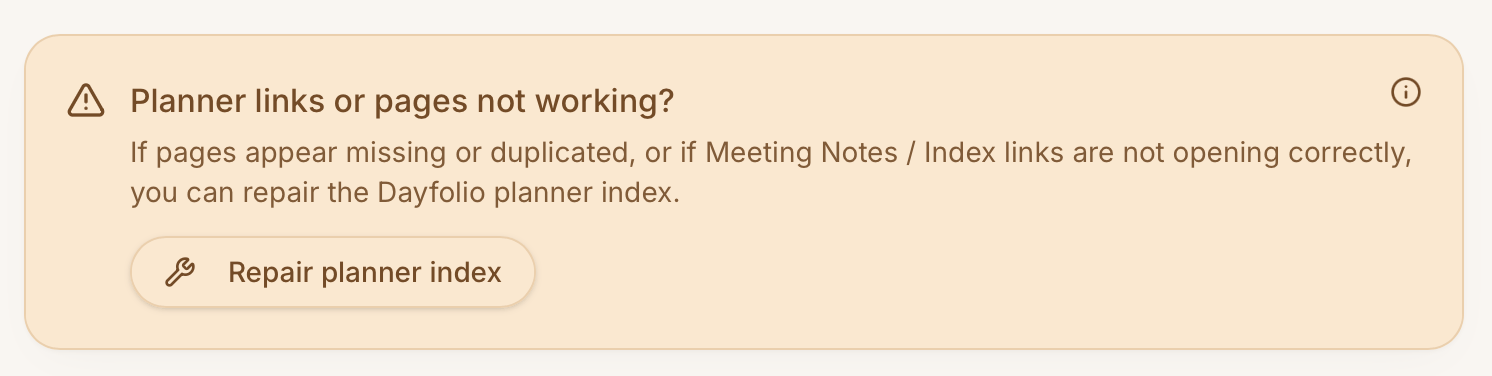
Open your planner at app.dayfolio.io and scroll to the bottom of the page: the Planner links or pages not working? box has the Repair planner index button.
Press it and confirm with Repair index. It takes a few minutes: Dayfolio rebuilds the page index, keeps a backup copy of your current planner in a Dayfolio Backups folder, and makes the repaired planner the one future syncs update.
On the tablet, close the planner, wait for the sync icon, reopen it and test a link.
Your handwriting stays where it is. The only content at risk is a note page added on the tablet that hadn't reached the cloud yet when the repair ran — hence step 1.
If the repair reports that it restored the original
Very large planners occasionally need a hand. Write to hello@dayfolio.io and we'll run the repair for you.
Not sure it's the index?
If only some links misbehave, you can confirm it before repairing: long-press the planner in My files → Duplicate → Original document (not With edits), and tap the same link in the copy. If it works there, run the repair. If it doesn't work in the copy either, write to hello@dayfolio.io with the link you tapped and your reMarkable model. Delete the test copy afterwards.
On the reMarkable 2 and other older models, the tablet occasionally doesn't register a tap on a link the first time in PDFs with many links, and the page opens when you tap again. That's the reMarkable, not an index problem — see A meeting has no notes page, or tapping it does nothing.
Keeping the index healthy
Space out large setup changes — add a calendar, sync, then change Meeting Notes settings, sync — rather than doing everything at once, and let the tablet finish syncing before you make more changes. Don't duplicate pages inside the planner on the tablet — duplicates are exactly what the tool looks for and removes (anything written on a removed duplicate is still in the backup copy in Dayfolio Backups); use Add note page for extra space instead.