
Meetings Index and Series pages
Two kinds of index pages help you find meeting notes without paging through the calendar. The Meetings Index opens from the list icon in the header; a Series page opens from the SERIES button on any of its meetings' notes pages.
Meetings Index
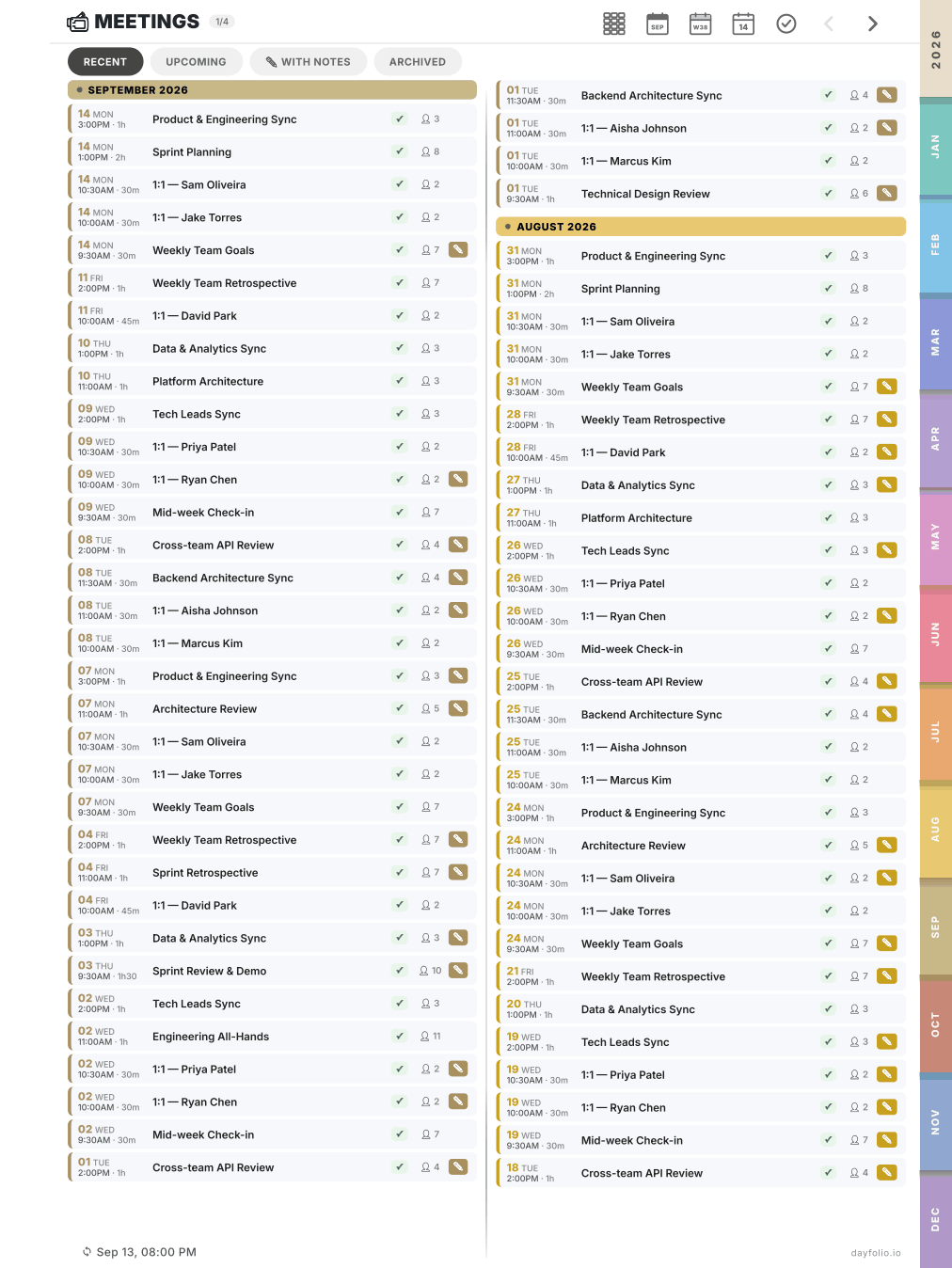
The index lists every meeting that has a notes page, grouped by month, newest first. Each row shows the date, time and duration, the title, your RSVP status and the number of attendees. Tap a row to open its notes page.
Four tabs at the top:
Recent — past meetings, most recent first.
Upcoming — meetings in the current generation window.
With notes — only pages where you have already written something. This is the tab to use when you're looking for your notes rather than the meeting itself.
Archived — meetings that were canceled or moved after their page was created.
A pencil badge on a row means the page contains handwriting. Long lists are paginated (1/4, 2/4…); the ‹ › arrows in the header move between index pages.
Series pages
Every recurring meeting gets its own page listing all its occurrences in three columns: Past, This week and Upcoming. Each row shows the RSVP summary of the attendees (✓ accepted, ✗ declined, ~ tentative, ? pending) and the pencil badge when notes exist.
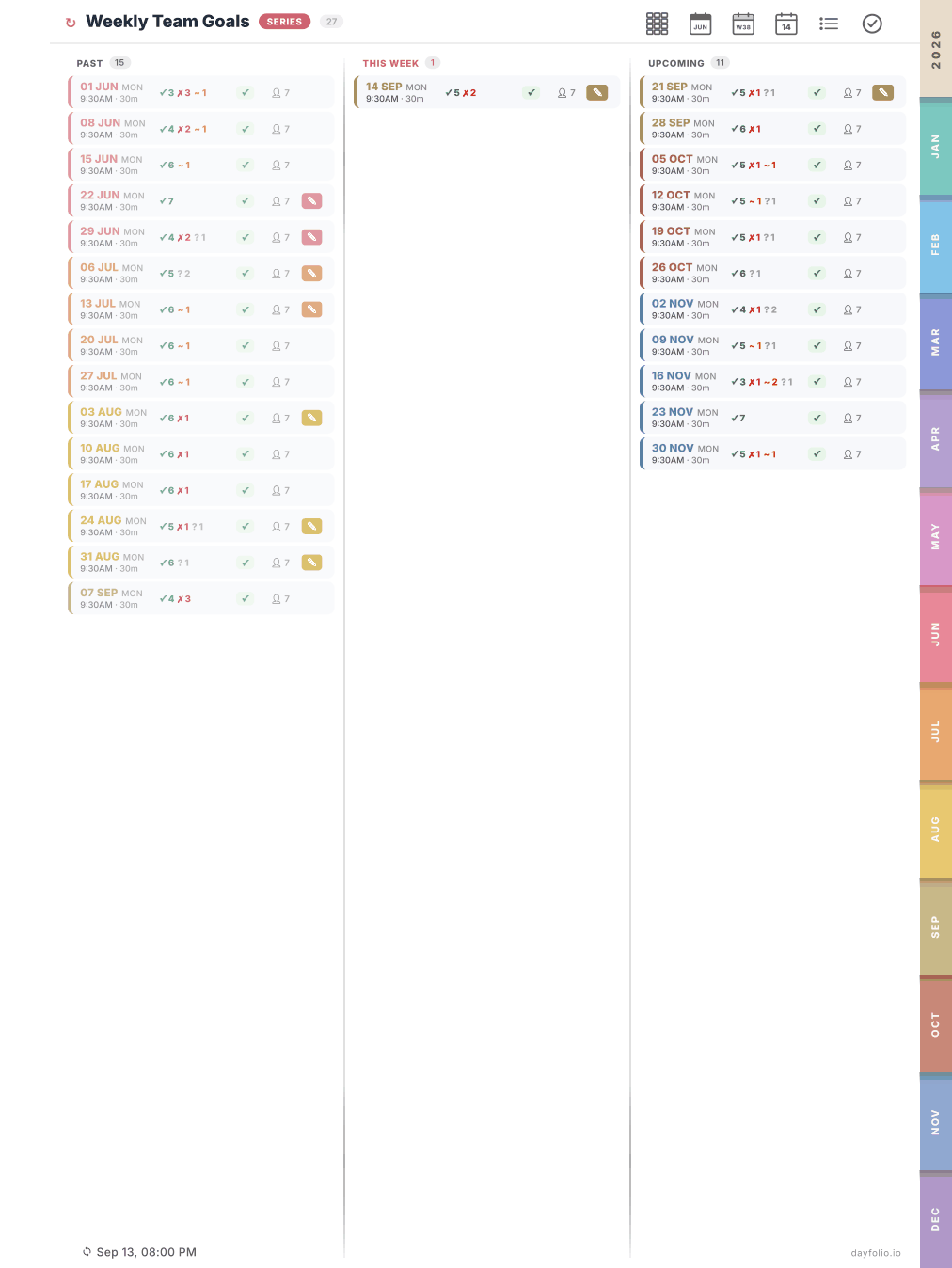
You get to a Series page from the SERIES button on any occurrence's notes page; from the Series page, tap any row to open that occurrence. Together with the ‹ previous / next › links on the notes pages, this lets you read a 1:1 or a weekly sync as one continuous thread.
How Dayfolio knows a meeting is recurring
It uses the recurrence information from your calendar, not the title. That's why one-off meetings that happen to share a name aren't grouped — see Recurring meetings and the Series.